Systweak VPN
  • Home
  • Features & Benefits

    Browse Anonymously Access Blocked Websites Unlimited Streaming Hide IP Address
  • How it Works

    What is VPN? Why use VPN? FAQ's
  • Learn More

    Unblock Spotify VPN VPN For Facebook Access Wikipedia VPN VPN For Google VPN For Hulu VPN For Amazon Prime VPN For Twitter VPN For Netflix VPN For Instagram VPN For Disney Plus VPN For BBC iPlayer VPN For YouTube VPN For ESPN VPN For HBO
  • User Guide
  • Contact Us
BUY NOW
  • Introduction
  • Installation Guide
    • System Requirements
    • Download And Installation
    • Purchase Systweak VPN
    • Activate Systweak VPN
  • Features
    • Browse Anonymously
    • Access Blocked Websites
    • Unlimited Streaming
    • Hide IP Address
    • Military Grade Encryption
    • Kill Switch
    • Stealth Mode
    • DNS Leak Protection
    • Global Server Access
    • Bypass ISP Throttling
    • No Log Policy
  • User Interface
  • How To Use Systweak VPN
  • Frequently Asked Questions (FAQs)

Home / User Guide / Download And Install

Download and Installation

1. Download the latest version of the product using the download link provided in your confirmation email after product purchase.

Installation Steps1

2. Double-click the downloaded .exe file to start the installation process.

3. When prompted by the File Security Warning. Click Yes on the User Account Control (UAC) pop-up.

4. Follow the installation steps:

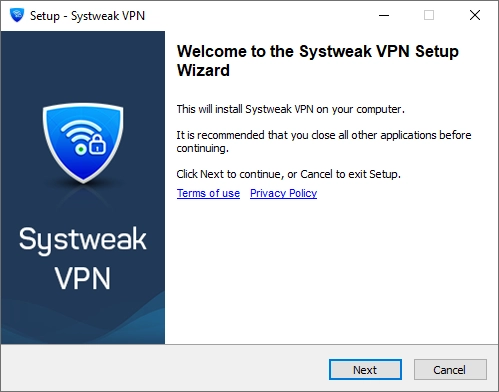
Click Next on the installer screen.
Installation Steps2

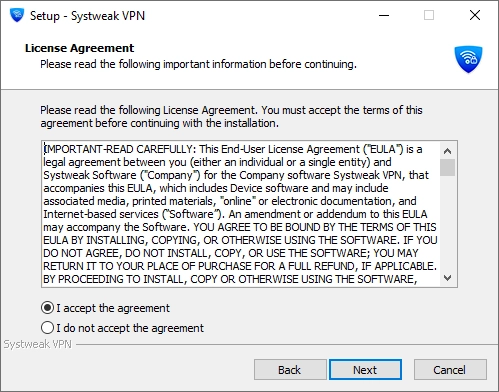
Accept the License Agreement.

Installation Steps3

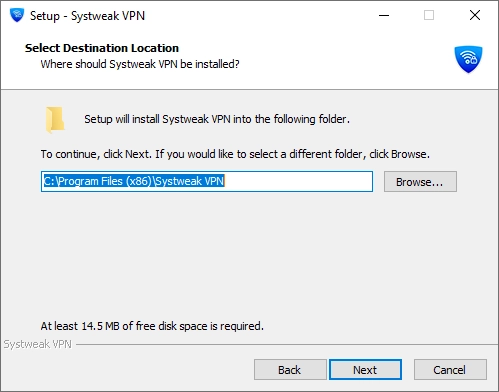
By default, Systweak VPN installs in C:\Program Files (x86)\Systweak VPN. If you want to install it in another location click Browse to choose a different location.
Installation Steps4

Click Next to continue.

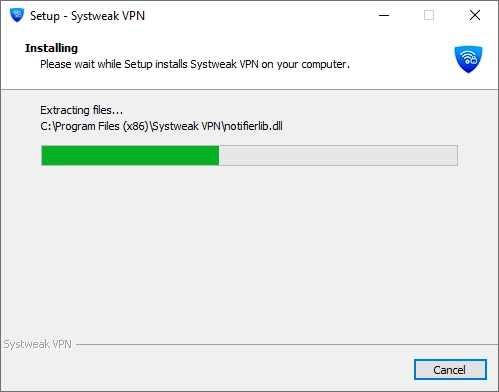
5. Click Next and wait for the process to complete.
Installation Steps5

6. When done, click Finish. The application will launch automatically if the option is enabled.
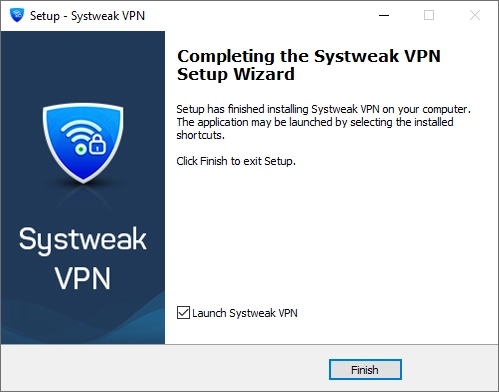
Installation Steps6

Systweak vpn
  • Home
  • |
  • What is VPN?
  • |
  • Uninstall Instructions
  • |
  • Terms of use
  • |
  • Privacy Policy
  • |
  • Refund Policy
  • |
  • EULA

Microsoft and Windows are trademarks owned by Microsoft Corporation. Systweak Software is not affiliated, associated, authorized, endorsed by, or in any way officially connected with Microsoft or Windows in any manner. Mac and OSX are trademarks owned by Apple Inc. all across the US and other countries. Other trademarks also belong to their respective owners.

Copyright © 1999-2025 Systweak VPN. All Rights Reserved.