Home / User Guide / Purchase Systweak VPN
Purchase Systweak VPN
To purchase Systweak VPN follow the steps below, complete your purchase, get the sign in details and use the complete version of the product.
1. Visit the official Website - https://www.systweakvpn.com
2. After that, click the Buy Now button at the top right corner of the homepage.

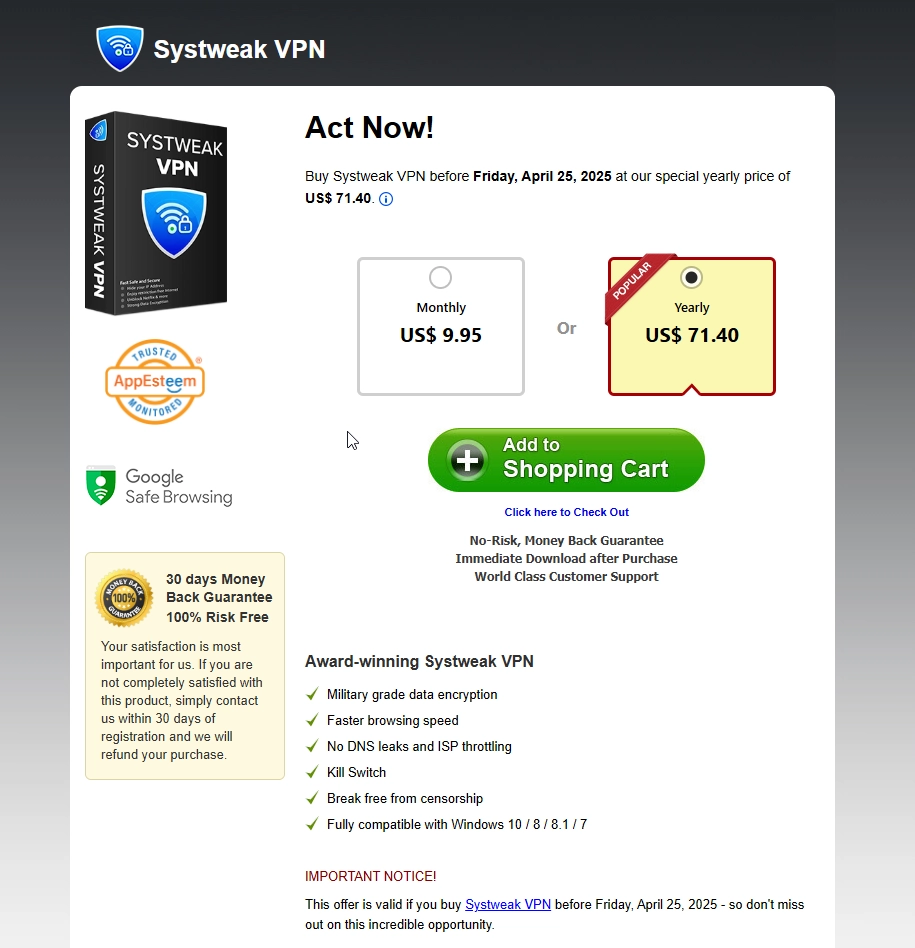
3. You will then be redirected to the pricing page where you can choose your plan - Monthly ($9.95) or Yearly ($71.40).
4. Click Add to Shopping Cart.
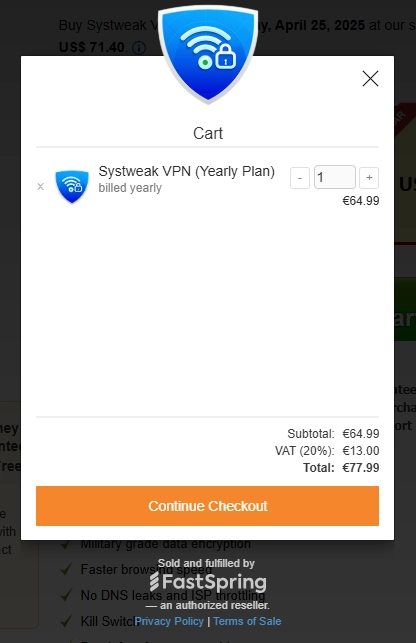
5. In the cart window, review the price and click Continue Checkout.
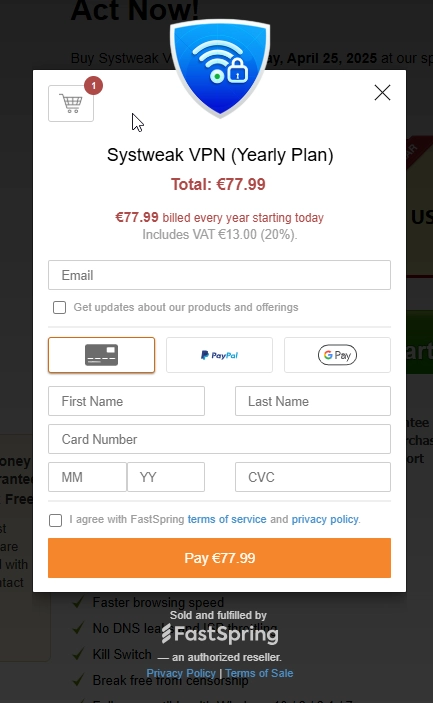
6. Enter your email address and billing details.
7. Choose your payment method and agree to the terms and click Pay (amount may vary with taxes).
Once the order is successfully placed, the purchase information will be shown on the order success page. You will also receive a confirmation email with the sign in details at the email address you provided. You can use these details to download, and register the full version of the product.
If you have any questions or concerns, you can contact the support team by emailing the purchase details to support@systweak.com. Our support team will look into the matter and reply promptly to assist you. For bulk orders, send an email to sales@systweak.com continue using the trial version of the product.
