Home / User Guide / Stealth Mode
Stealth Mode
Some networks block both websites and VPNs. On these networks, regular VPN traffic can be detected and shut down. But with Systweak VPN by your side you can hide the fact that you are using VPN.
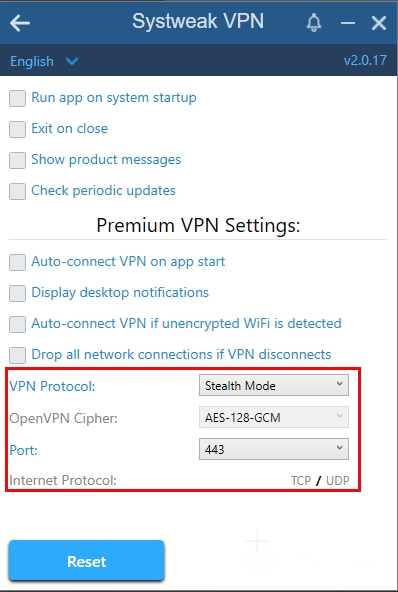
Stealth Mode disguises your VPN traffic as regular web traffic, so firewalls and network filters can’t tell the difference, allowing you to access the internet freely.
By using Stealth Mode you can maintain access to the internet without drawing attention to your VPN usage, ensuring uninterrupted and secure browsing. It is like browsing the web anonymously without anyone knowing about it.
This feature is helpful for users in countries where VPNs are restricted, or when you're on public or corporate networks that block connections.
When activated, Systweak VPN's Stealth Mode adds an extra layer of invisibility—making it ideal for bypassing censorship or surveillance.
Stealth Mode
- Hides your VPN usage on restricted or heavily monitored networks.
- Helps you access blocked content even in countries with VPN bans.
- Lets you browse freely at schools, offices, or hotels with strict firewalls.
- Works silently in the background.
